


Dev Blog #89
Greetings, comrades!
Today, we would like to talk about what we have managed to implement in the game's input and control system. Let's start with Force Feedback (FFB).
Generally speaking, FFB systems in flight simulation are going through something of a renaissance this year. A long time ago, back in the 2000s, this was a popular topic, but it gradually faded into the background.
Then, in 2024, talk of a revival began. In 2025, MOZA devices were already being released, and later WINCTRL and VIRPIL announced their own products and opened pre-orders. Of course, even before that, there had been interesting small-batch devices made by enthusiasts in the flight-sim community.
Today, we would like to talk about what we have managed to implement in the game's input and control system. Let's start with Force Feedback (FFB).
Generally speaking, FFB systems in flight simulation are going through something of a renaissance this year. A long time ago, back in the 2000s, this was a popular topic, but it gradually faded into the background.
Then, in 2024, talk of a revival began. In 2025, MOZA devices were already being released, and later WINCTRL and VIRPIL announced their own products and opened pre-orders. Of course, even before that, there had been interesting small-batch devices made by enthusiasts in the flight-sim community.
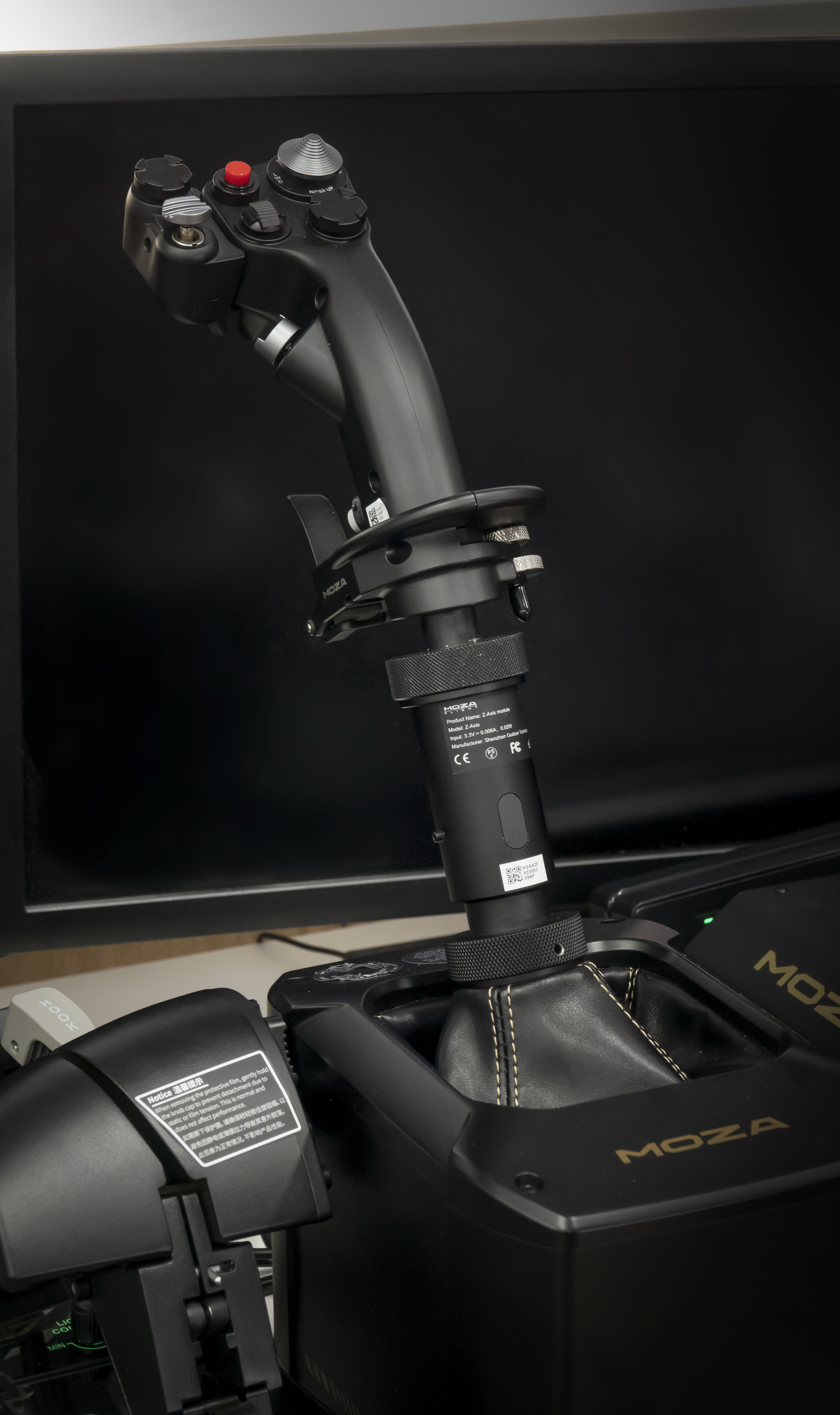
But now major manufacturers have decided to return to this market, and we are incredibly happy to see it. FFB has a huge impact on the experience of virtual flying. It adds an entire layer of sensations, introduces countless new nuances, and greatly increases immersion. And maximum immersion and an experience as close as possible to real flight are exactly what we come to simulators for.
Best of all, modern devices are reaching an entirely new level compared with what was available back in the 2000s.
However, because Force Feedback has such a strong influence on the flying experience, it requires special attention. Incorrect settings can actually make the experience worse. That is why we are taking a very careful and thorough approach to implementing this technology.
Best of all, modern devices are reaching an entirely new level compared with what was available back in the 2000s.
However, because Force Feedback has such a strong influence on the flying experience, it requires special attention. Incorrect settings can actually make the experience worse. That is why we are taking a very careful and thorough approach to implementing this technology.
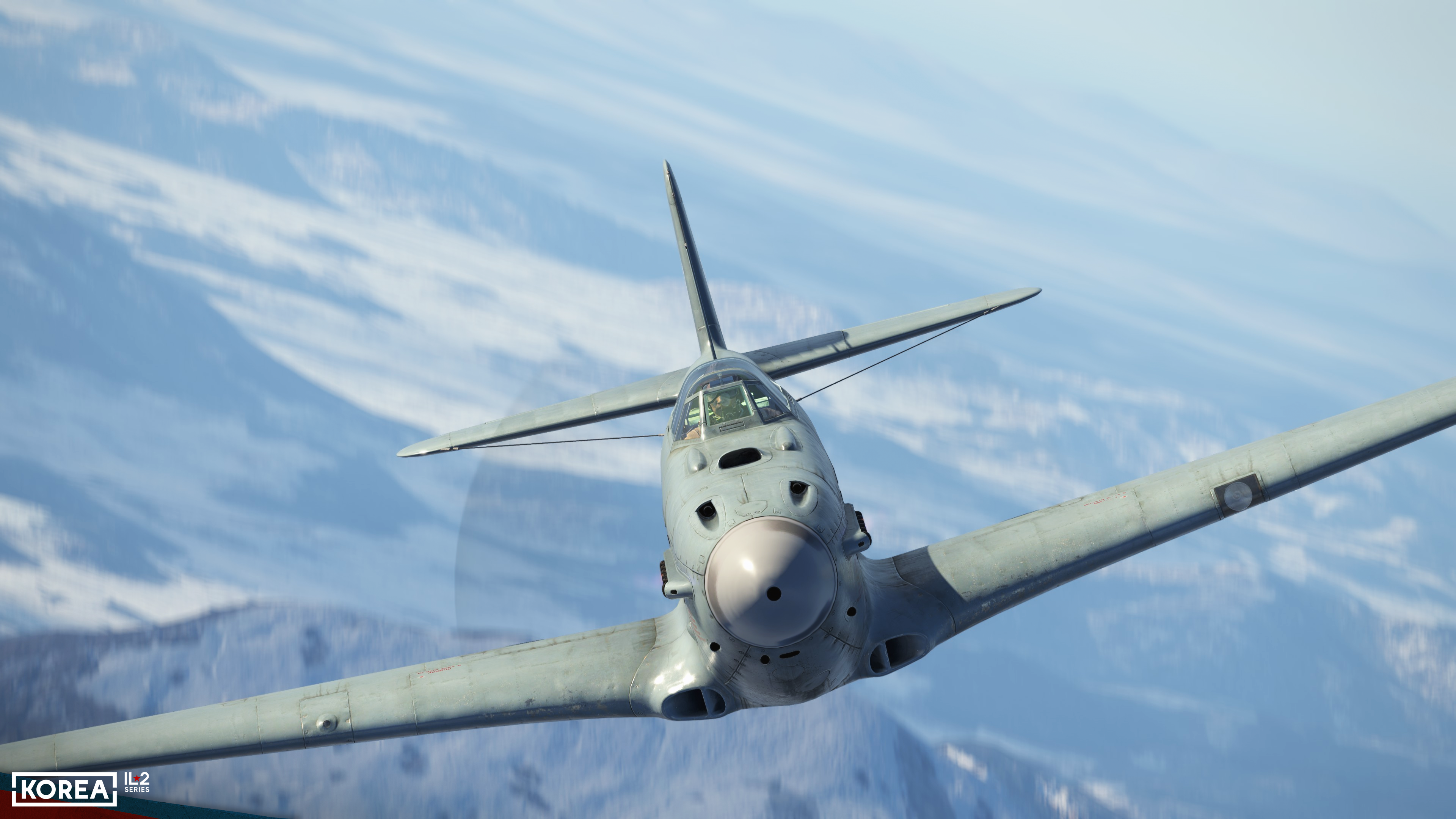
Of course, we noticed the resurgence of FFB well before the release of Korea and put considerable effort into improving its implementation before launch. We also planned a number of post-release improvements to provide the best possible support for this technology.
To begin with, we created a dedicated API that uses the UDP protocol. Makers of small-batch devices can use it to control FFB alongside DirectInput. All the necessary API documentation can be found directly in the game's Doc subfolder. Moreover, this new API is the only way to provide FFB not only through a joystick that controls roll and pitch, but through pedals as well. Microsoft's standard DirectInput API is quite old and supports only one FFB device with two axes. On top of that, we spent a great deal of time debugging and refining the existing FFB effect algorithms, which allowed us to achieve the highest possible quality.
To begin with, we created a dedicated API that uses the UDP protocol. Makers of small-batch devices can use it to control FFB alongside DirectInput. All the necessary API documentation can be found directly in the game's Doc subfolder. Moreover, this new API is the only way to provide FFB not only through a joystick that controls roll and pitch, but through pedals as well. Microsoft's standard DirectInput API is quite old and supports only one FFB device with two axes. On top of that, we spent a great deal of time debugging and refining the existing FFB effect algorithms, which allowed us to achieve the highest possible quality.
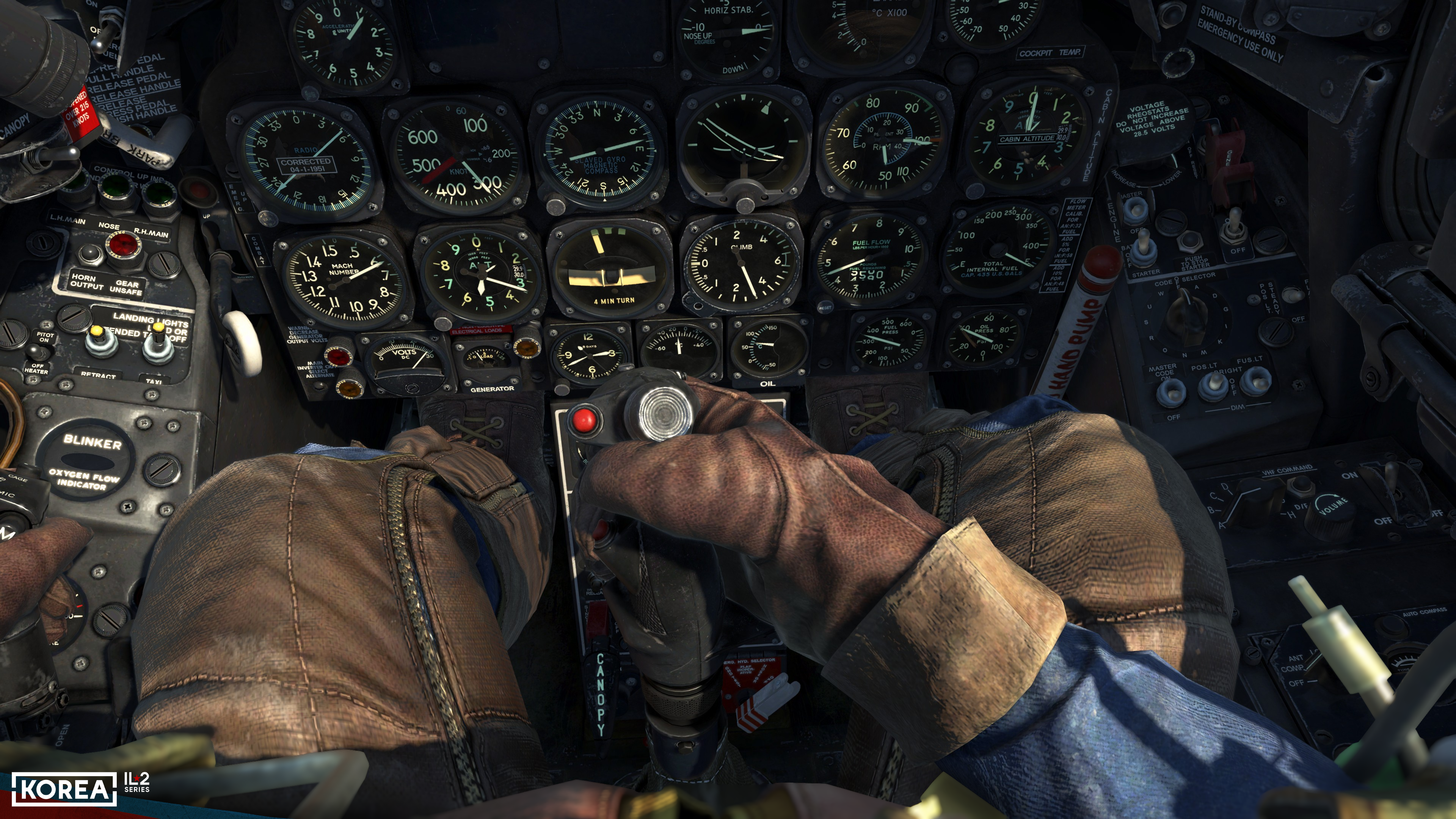
Compared with Great Battles, all algorithms used to calculate Force Feedback effects have been completely reworked. They are now significantly more realistic and take many more factors into account when calculating the resulting force on the stick. In particular, control forces now increase with the square of airspeed. The system takes into account control boosters, control-surface mass balancing, and feel springs in the control system, as well as the effects of gravity. In addition, it correctly simulates the dynamic shift of the stick’s force-neutral position under the influence of the airflow, taking into account its speed and angle of attack.
Communication with an FFB joystick also runs at a significantly higher update rate than in Great Battles. The polling rate for axes and buttons on all joysticks—not just FFB devices—has been increased to 200 Hz to minimize input latency.
All of this has allowed us to achieve the most realistic flying feel possible. We also validated it with pilots who fly aircraft represented in our project. In one of our recent development videos, we already showed excerpts from an interview with them, and we are now preparing the full version of that conversation for publication.
It is also worth mentioning that we have added a whole range of in-game FFB settings that were not available before. Players can now adjust the balance between different FFB effects to their liking, choose the Built-in Response Curve, and configure Control Surface Loading.
Communication with an FFB joystick also runs at a significantly higher update rate than in Great Battles. The polling rate for axes and buttons on all joysticks—not just FFB devices—has been increased to 200 Hz to minimize input latency.
All of this has allowed us to achieve the most realistic flying feel possible. We also validated it with pilots who fly aircraft represented in our project. In one of our recent development videos, we already showed excerpts from an interview with them, and we are now preparing the full version of that conversation for publication.
It is also worth mentioning that we have added a whole range of in-game FFB settings that were not available before. Players can now adjust the balance between different FFB effects to their liking, choose the Built-in Response Curve, and configure Control Surface Loading.
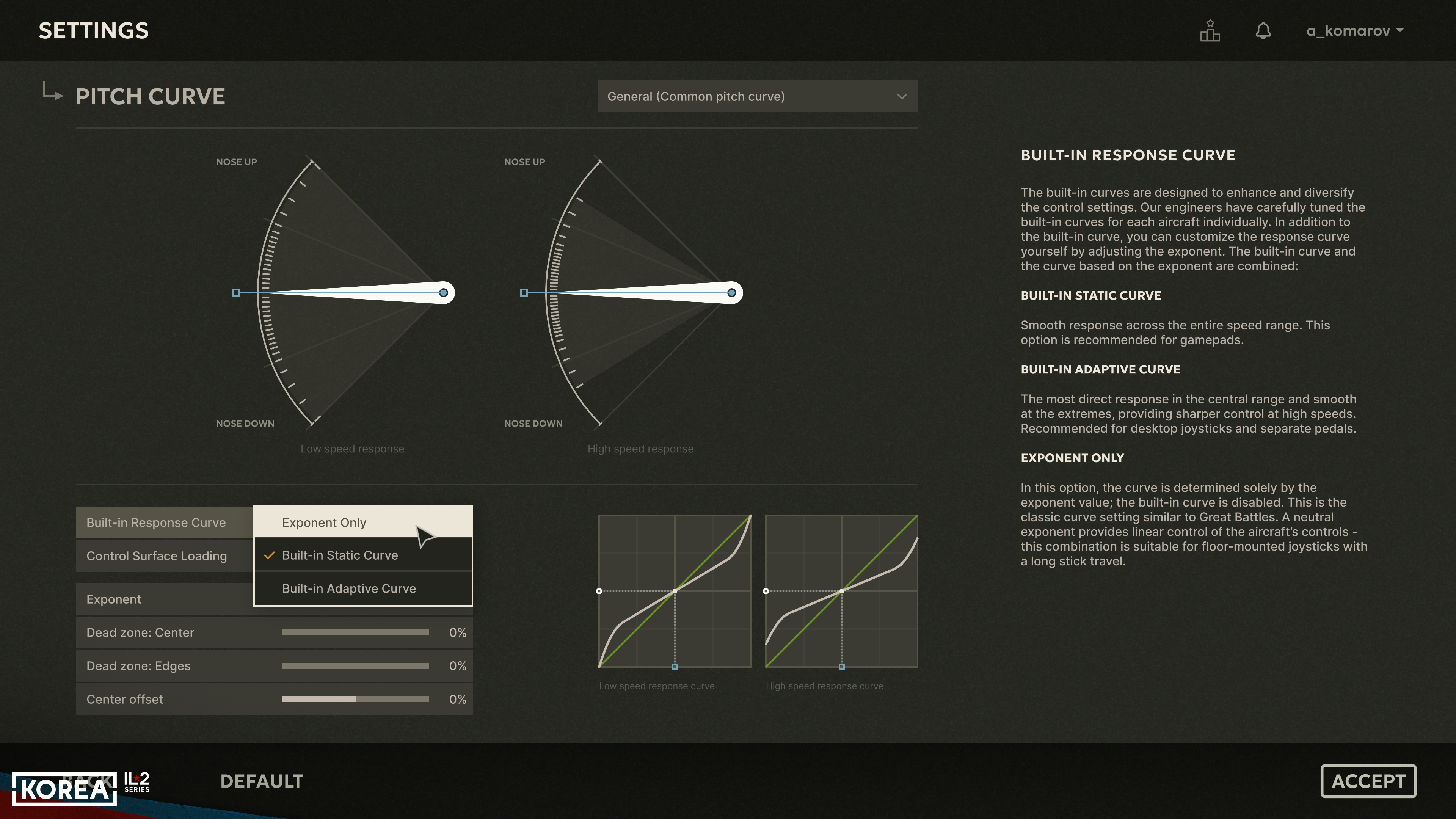
In the recent 1.004 update, in addition to the existing general Force Feedback strength and shake settings, we added separate settings for adjusting control forces at low and high speeds.
This allows players to tune the way the load on the joystick changes with the speed of the airflow over the control surfaces to suit both their preferences and their particular device.
We also added a separate setting for the strength of the force-neutral shift effect when airflow conditions around the control surfaces change. It affects how the stick behaves during a tailslide, in a spin, or at high angles of attack. In the simulator, we reproduce the way the stick's force-neutral position shifts as the angle of airflow over the control surfaces changes. The strength of this effect can now be adjusted to your preference.
We have also added a separate setting for the strength of impacts and vibrations transmitted through the controls when the landing gear or other parts of the aircraft structure come into contact with the ground.
This allows players to tune the way the load on the joystick changes with the speed of the airflow over the control surfaces to suit both their preferences and their particular device.
We also added a separate setting for the strength of the force-neutral shift effect when airflow conditions around the control surfaces change. It affects how the stick behaves during a tailslide, in a spin, or at high angles of attack. In the simulator, we reproduce the way the stick's force-neutral position shifts as the angle of airflow over the control surfaces changes. The strength of this effect can now be adjusted to your preference.
We have also added a separate setting for the strength of impacts and vibrations transmitted through the controls when the landing gear or other parts of the aircraft structure come into contact with the ground.
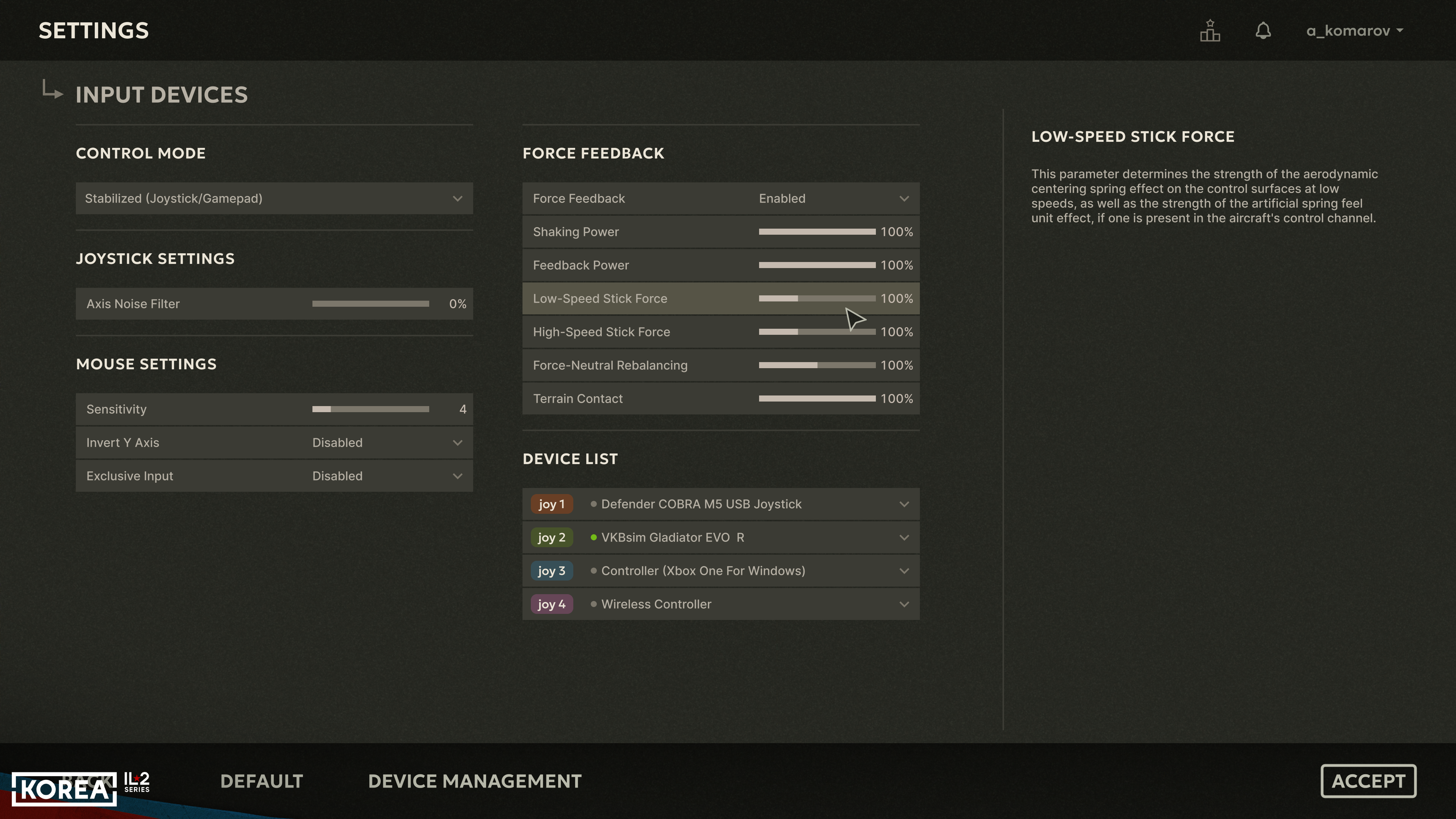
Every device has different force capabilities, and every user has their own idea of what flying should feel like and how best to achieve it. User setups differ as well. Players now have more ways to adjust everything so that the experience feels as close to the real thing as possible. Even the height at which the control stick is mounted relative to the user affects the amount of force needed to create the most convincing sensation. And now all of this can be adjusted.
Since release, in addition to expanding the Force Feedback settings, we have completed graphical control-layout diagrams for assigning commands to the buttons of various gaming devices. They are available both in the game's GameDocInput Maps folder and on our website in the Support section.
All diagrams are available in the six languages supported by the game. In addition to 70 layouts for joysticks and gamepads, the set also includes command layouts for a standard keyboard and mouse.
There you can also find a short guide explaining how to use Steam Big Picture mode to configure Steam Controller and Nintendo Switch Controller gamepads for use with Korea. These devices are not DirectInput-compatible by default. The guide is useful not only for players who purchased the game on Steam, but also for those who bought it from our website.
All device diagrams are available in A4 and A3 formats and remain legible when the colors are inverted. This allows them to be printed in good quality on either a color or black-and-white printer.
Since release, in addition to expanding the Force Feedback settings, we have completed graphical control-layout diagrams for assigning commands to the buttons of various gaming devices. They are available both in the game's GameDocInput Maps folder and on our website in the Support section.
All diagrams are available in the six languages supported by the game. In addition to 70 layouts for joysticks and gamepads, the set also includes command layouts for a standard keyboard and mouse.
There you can also find a short guide explaining how to use Steam Big Picture mode to configure Steam Controller and Nintendo Switch Controller gamepads for use with Korea. These devices are not DirectInput-compatible by default. The guide is useful not only for players who purchased the game on Steam, but also for those who bought it from our website.
All device diagrams are available in A4 and A3 formats and remain legible when the colors are inverted. This allows them to be printed in good quality on either a color or black-and-white printer.
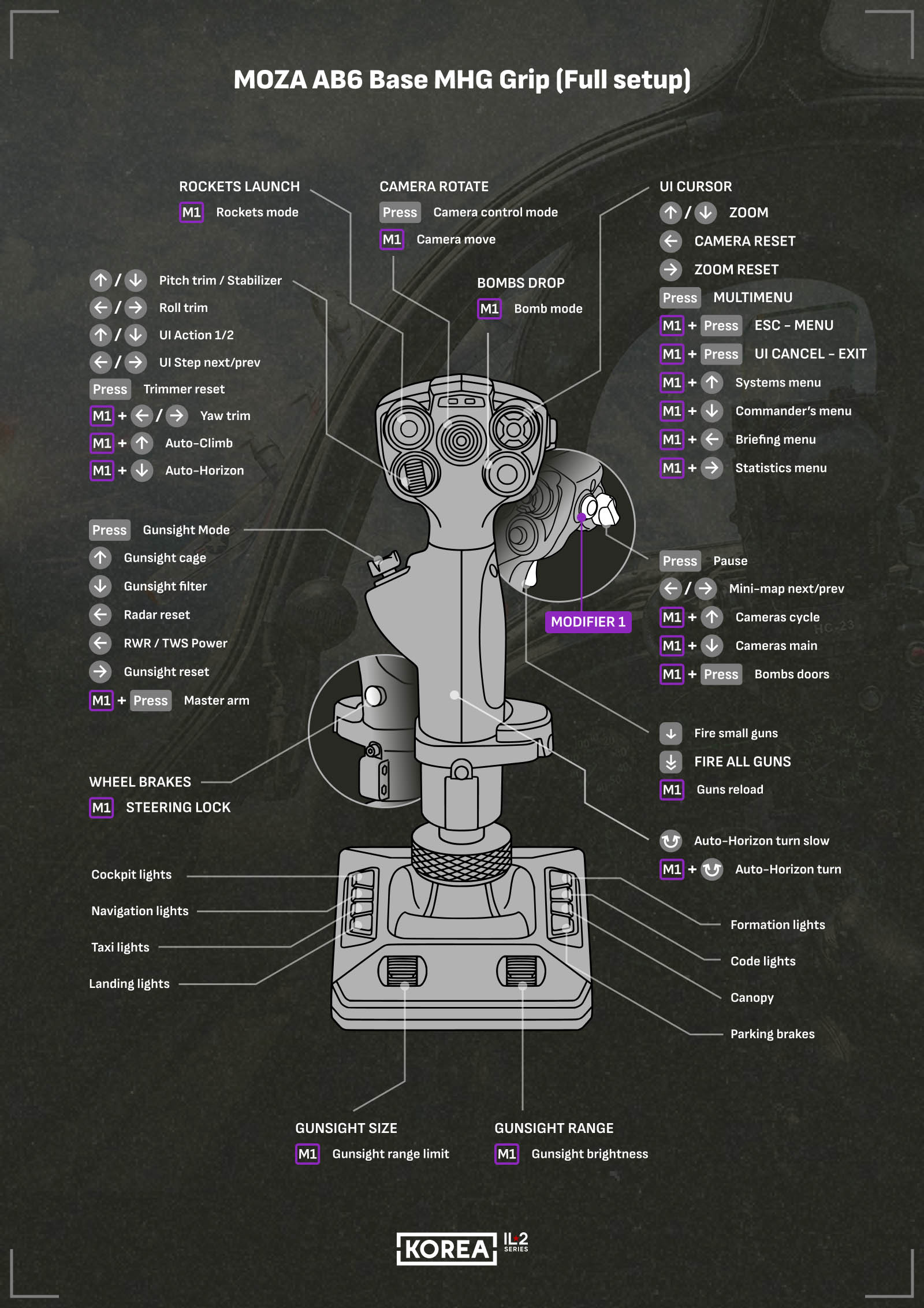
In our Dev Blogs, we talk not only about graphics, physics, and the game world, but also, as you can see, about configuring control devices and setting up your place. To make sure you do not miss these important details, the upcoming pilot interview, and other news, please subscribe to our social media channels and follow the updates: Discord, Facebook, YouTube, Reddit, and X.
Good hunting! Stay tuned!
Good hunting! Stay tuned!