


Dev Blog #74
Greetings, comrades!
In Korea, all aircraft will feature highly detailed cockpits meticulously recreated using the latest technologies, equipment, and instruments at a completely new level. The readings of all instruments will correspond to flight modes and system operation. We have talked about, shown, and described this many times already.
However, a feeling of genuine admiration, which is evoked in experienced simulator players, can cause not only admiration but also bewilderment among less immersed users who are just getting acquainted with the world of flight sims. Studying all the features of each aircraft’s cockpit equipment requires considerable time, even though we have significantly simplified this process by introducing a museum mode with a detailed interactive description of the cockpits. You can read about the museum in Dev Blog #35 and watch a short video.
In Korea, all aircraft will feature highly detailed cockpits meticulously recreated using the latest technologies, equipment, and instruments at a completely new level. The readings of all instruments will correspond to flight modes and system operation. We have talked about, shown, and described this many times already.
However, a feeling of genuine admiration, which is evoked in experienced simulator players, can cause not only admiration but also bewilderment among less immersed users who are just getting acquainted with the world of flight sims. Studying all the features of each aircraft’s cockpit equipment requires considerable time, even though we have significantly simplified this process by introducing a museum mode with a detailed interactive description of the cockpits. You can read about the museum in Dev Blog #35 and watch a short video.
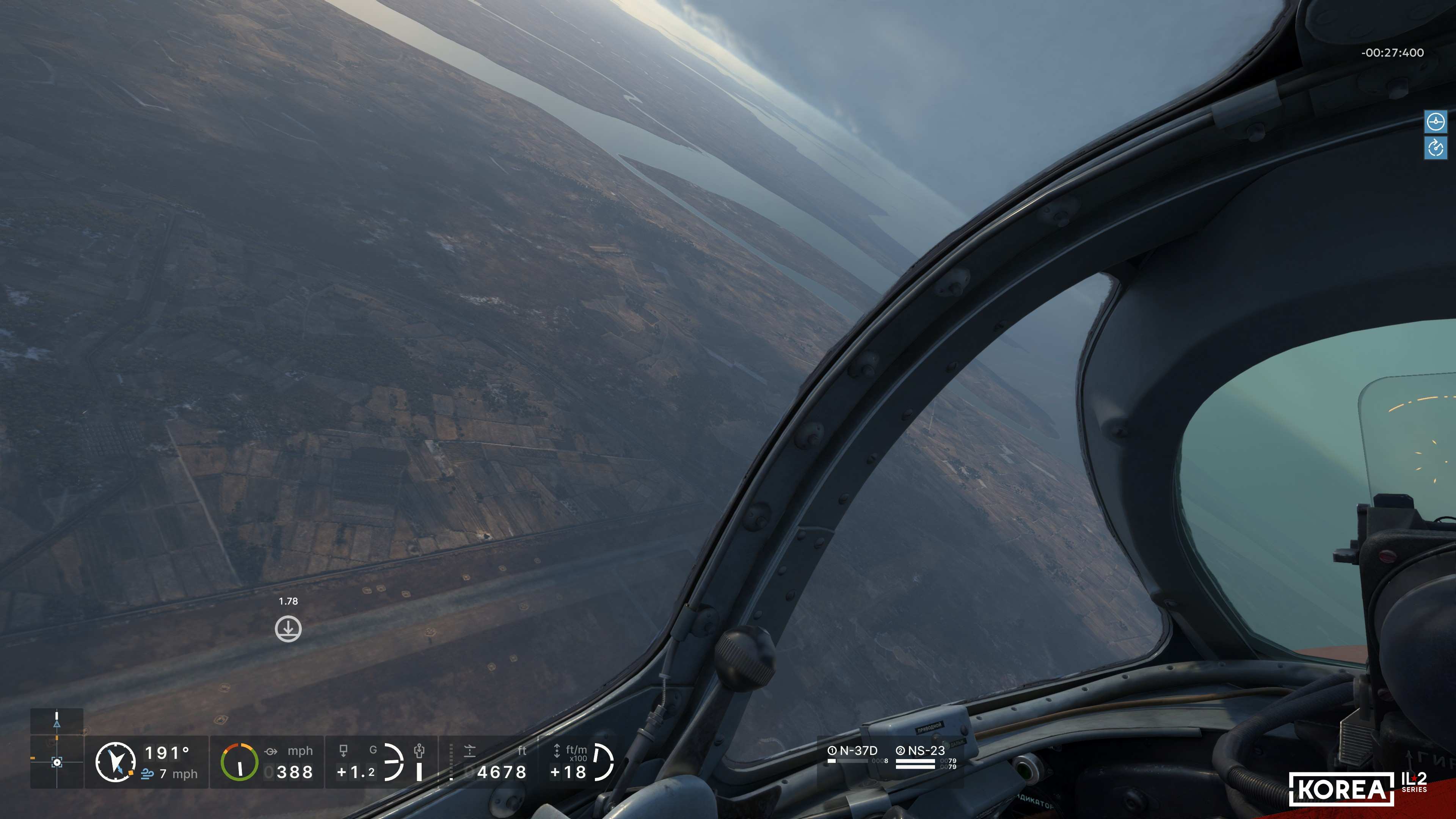
To help new players master aircraft, to help them concentrate on that incredibly pleasant feeling of flight, to try it out rather than learn the arrangement of information in the cockpit (which requires significant preparation time and is not as convenient on a gaming monitor as in real life or in VR), we have implemented an unprecedentedly broad and flexible system for indicating aircraft flight parameters and system states in the graphical interface. The interface page displayed over the gameplay is commonly called the HUD (Head-Up Display). This term, although used in a wide variety of genres, originated from the field of aviation. Perhaps that is why it fell to us to take a new step in the evolution of this game element’s design.
Across three generations of our game engine, we developed three approaches to HUD implementation. First, in Rise of Flight, we implemented a game screen with maximum freedom in configuring the instruments' composition and positions. They could be placed anywhere on the screen and in any combination. And this had its advantages and disadvantages: organizing the HUD workspace required a lot of time, and not everyone managed to achieve a truly convenient result.
Next, in Great Battles, we turned to a strictly fixed HUD panel with a minimalist, predefined set of instruments. Yes, it was extremely functional and convenient, but many users asked for customization options; some lacked clear indications for certain parameters.
Next, in Great Battles, we turned to a strictly fixed HUD panel with a minimalist, predefined set of instruments. Yes, it was extremely functional and convenient, but many users asked for customization options; some lacked clear indications for certain parameters.
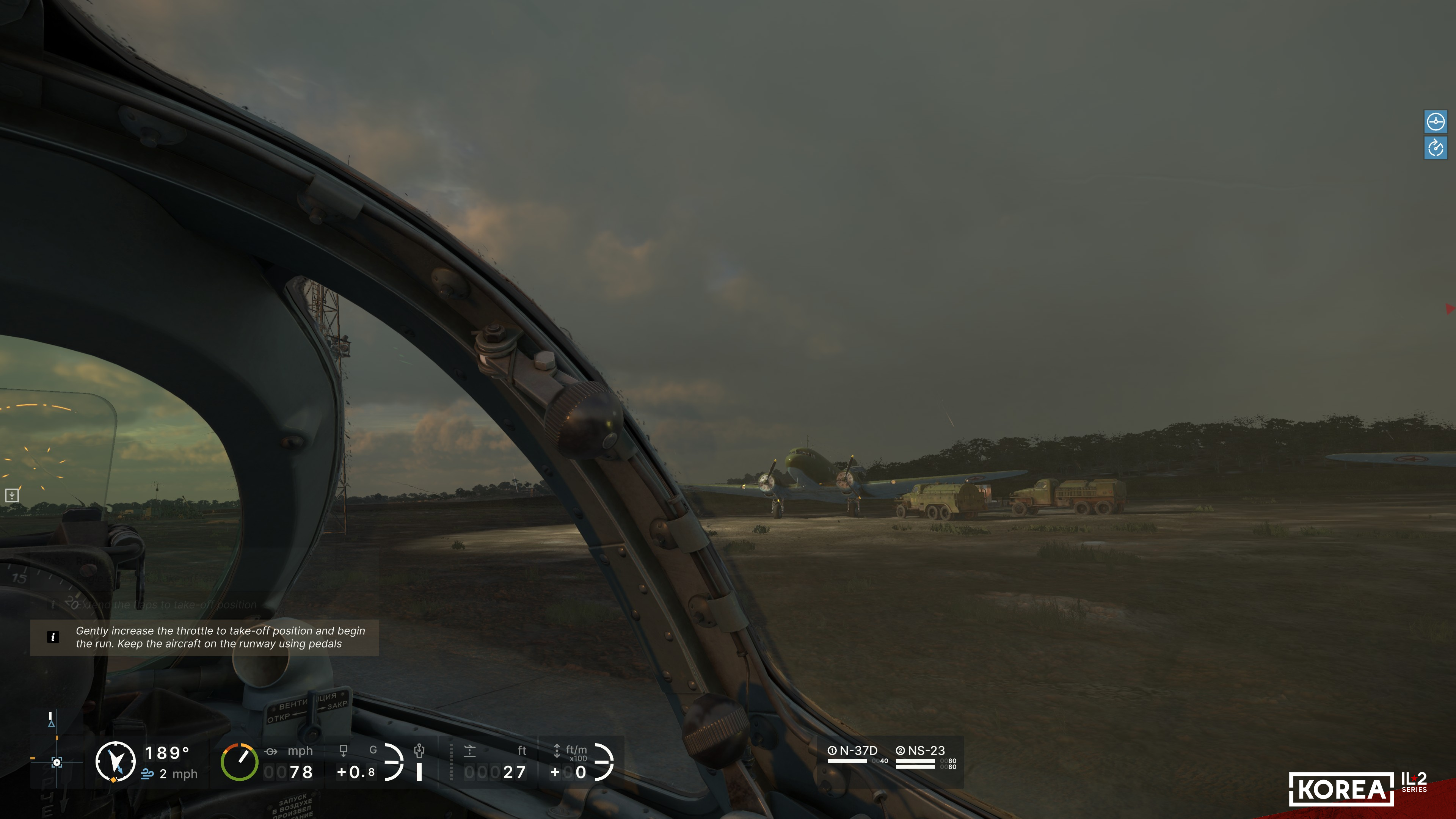
And now the time of Korea has come, the third generation of our game engine. The graphical interface is implemented using fundamentally new technologies, and the approaches to its design were developed from scratch, drawing on the latest experience from the gaming industry. At the same time, it was also important to keep the in-game interface familiar for the vast number of Great Battles players. After all, during flight and especially in combat, it is important to spend as little time as possible mastering it.
Regarding the HUD, we analyzed our past decisions. We concluded that it was necessary to develop a solution that combined the best aspects of the two previous generations' approaches and was free of their main drawbacks. A non-trivial, complex task that sparked much debate and refinement, but in the end was successfully solved by us.
In Korea, HUD instruments are organized within a specific template grid, located in that zone of the screen where their positions are time-tested, and they interact with other interface elements without problems. At the same time, the player is provided with a special dialog option to edit the set (composition) and the arrangement of instruments in the template grid.
Regarding the HUD, we analyzed our past decisions. We concluded that it was necessary to develop a solution that combined the best aspects of the two previous generations' approaches and was free of their main drawbacks. A non-trivial, complex task that sparked much debate and refinement, but in the end was successfully solved by us.
In Korea, HUD instruments are organized within a specific template grid, located in that zone of the screen where their positions are time-tested, and they interact with other interface elements without problems. At the same time, the player is provided with a special dialog option to edit the set (composition) and the arrangement of instruments in the template grid.
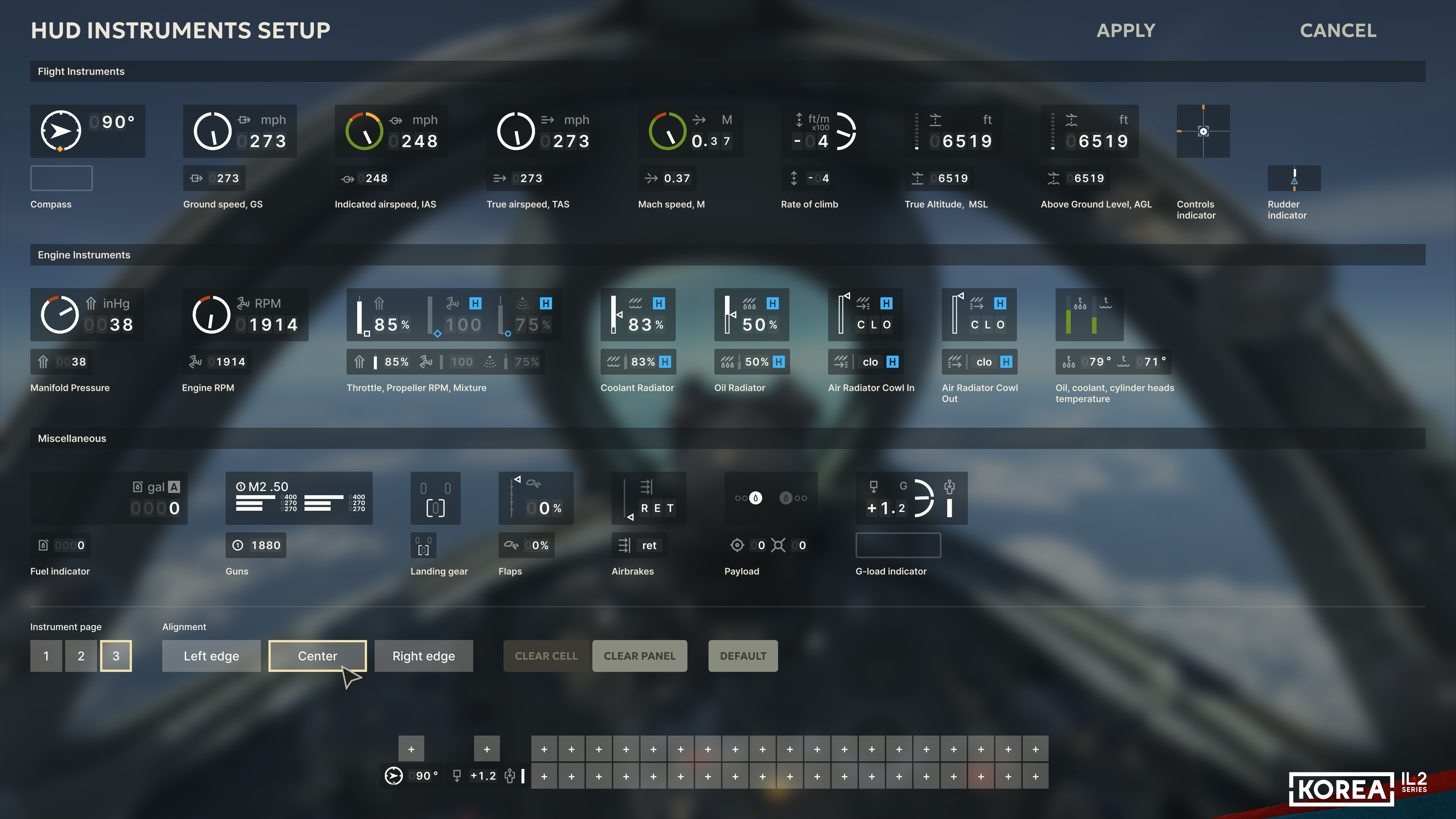
Each instrument has two versions: large and compact. Moreover, many instruments and indicators that were not previously available but that users have long been asking us about have been added. For example, control surface position indicators will display both information about the position of the modeled control handles in the aircraft cockpit and the position of the player’s controller inputs. Also, these indicators will display trimmer positions.
In terms of speed and altitude indication, the player will have a wide choice of parameters to exactly see: after all, there are 4 types of speed parameters and 2 more altitude ones. A special fuel indicator has been implemented that explicitly shows the process of fuel consumption. The HUD element displaying remaining armament has received a new, much more informative design. In addition, one can choose the anchor point and the interface alignment using the familiar options: left, centered, or right.
In terms of speed and altitude indication, the player will have a wide choice of parameters to exactly see: after all, there are 4 types of speed parameters and 2 more altitude ones. A special fuel indicator has been implemented that explicitly shows the process of fuel consumption. The HUD element displaying remaining armament has received a new, much more informative design. In addition, one can choose the anchor point and the interface alignment using the familiar options: left, centered, or right.
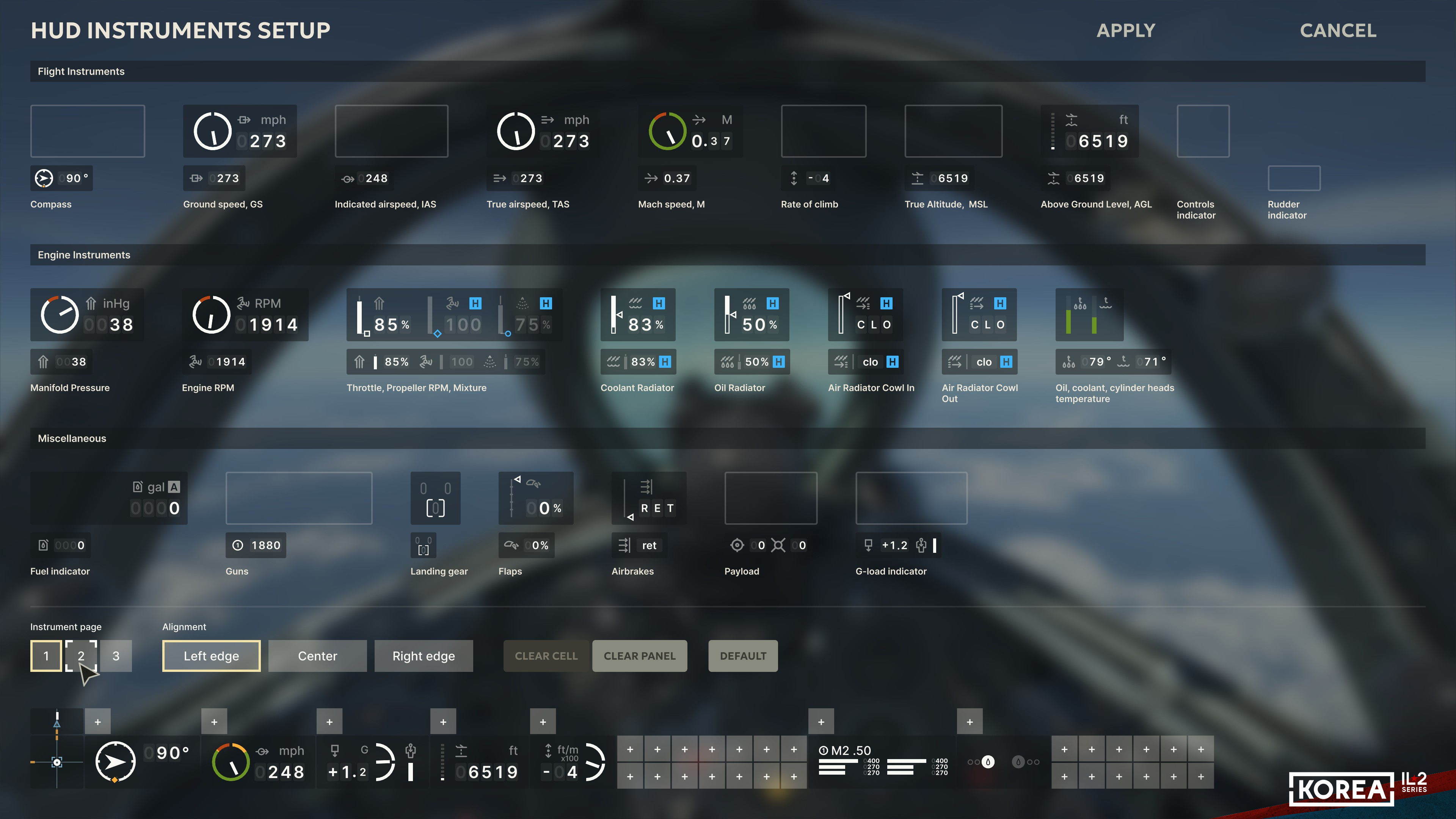
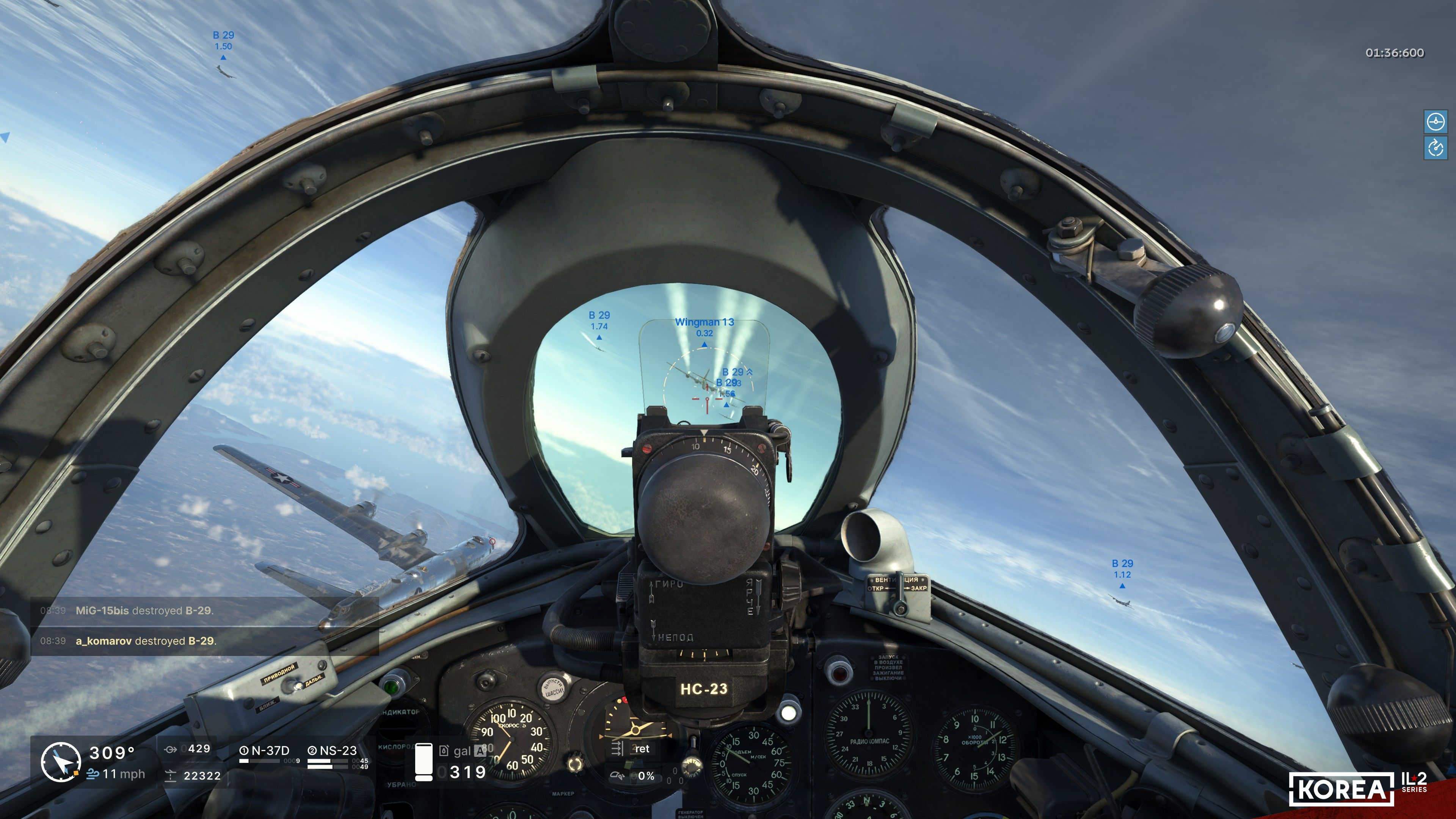
While working on the HUD design, we realized that, generally speaking, for a large portion of players, it would not be very convenient to rearrange the instruments every time pilots want to venture into a certain type of mission. Therefore, we added the ability to create three HUD instrument layouts, with quick switching via a hotkey. Moreover, the set of instruments automatically changes depending on the aircraft: after all, on a jet aircraft, there is no need for indicators of mixture, propeller pitch lever positions, manifold pressure, or supercharger stage.
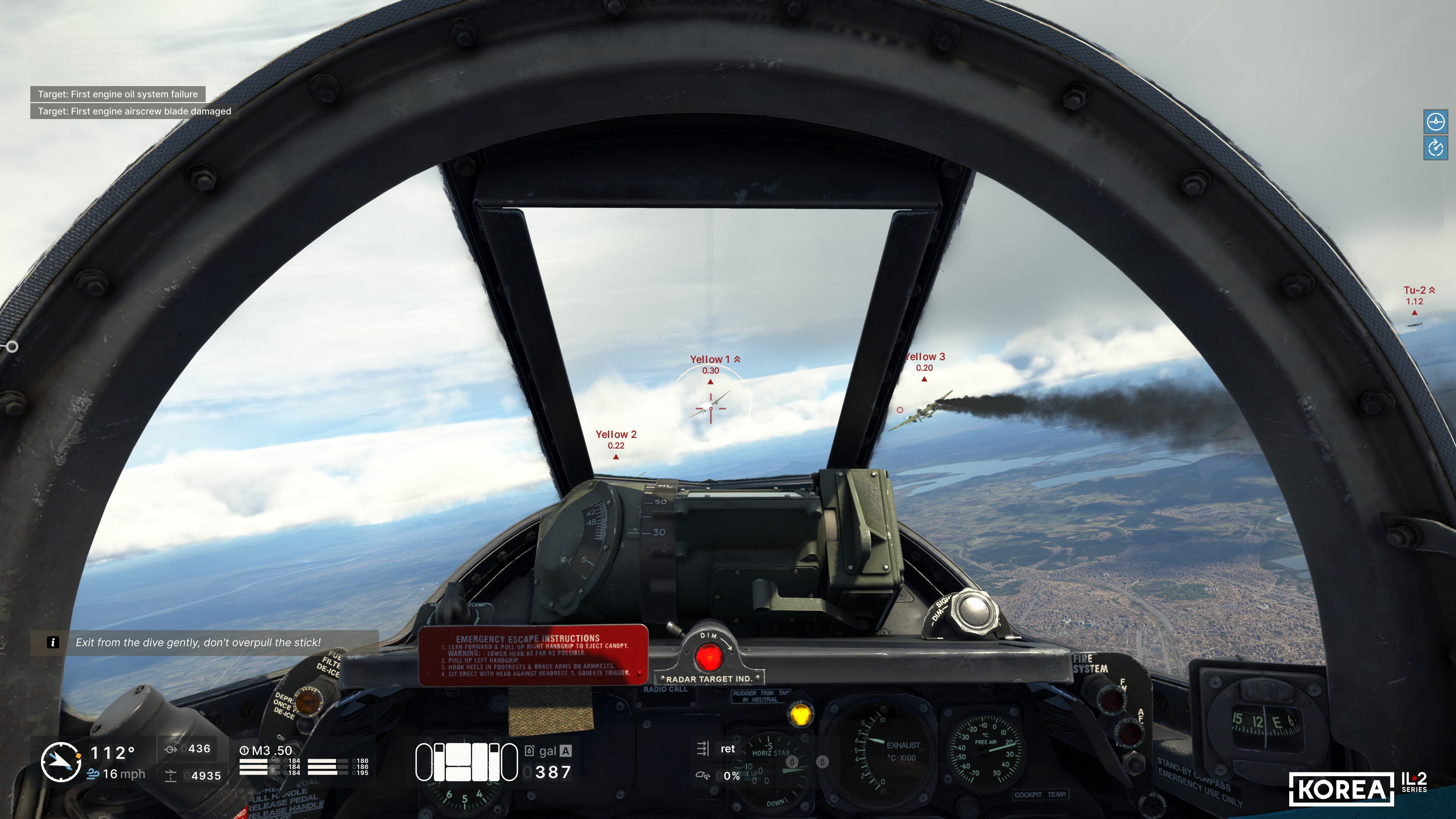
Thus, in Korea, the HUD combines variability in the arrangement and composition of instruments with automatic control over the adequacy of the mutual placement of interface elements.
We will continue to tell you about all the innovations that await you when Korea is released. In order not to miss the news, please subscribe to our social media channels YouTube, Facebook, Reddit, X, and Discord and follow the updates.
We also remind you about the pre-ordered on our website, which gives you early access to the project and gives us the opportunity to make it even better!
Thank you. Stay tuned!
We also remind you about the pre-ordered on our website, which gives you early access to the project and gives us the opportunity to make it even better!
Thank you. Stay tuned!