


Dev Blog #58
Hello, comrades!
Today, we will take a break from discussing the components of the game world and graphics and talk about one of the fundamentally new features in the "Korea. Il2 Series" gameplay. We will discuss the graphical user interface in flight.
For brevity, this section of the graphical interface is usually referred to as a HUD (Heads-Up Display), like the corresponding display devices in modern aircraft. The approach to this part of the interface in "Korea" has changed completely — you could say that we have revolutionized this design in our series.
Today, we will take a break from discussing the components of the game world and graphics and talk about one of the fundamentally new features in the "Korea. Il2 Series" gameplay. We will discuss the graphical user interface in flight.
For brevity, this section of the graphical interface is usually referred to as a HUD (Heads-Up Display), like the corresponding display devices in modern aircraft. The approach to this part of the interface in "Korea" has changed completely — you could say that we have revolutionized this design in our series.
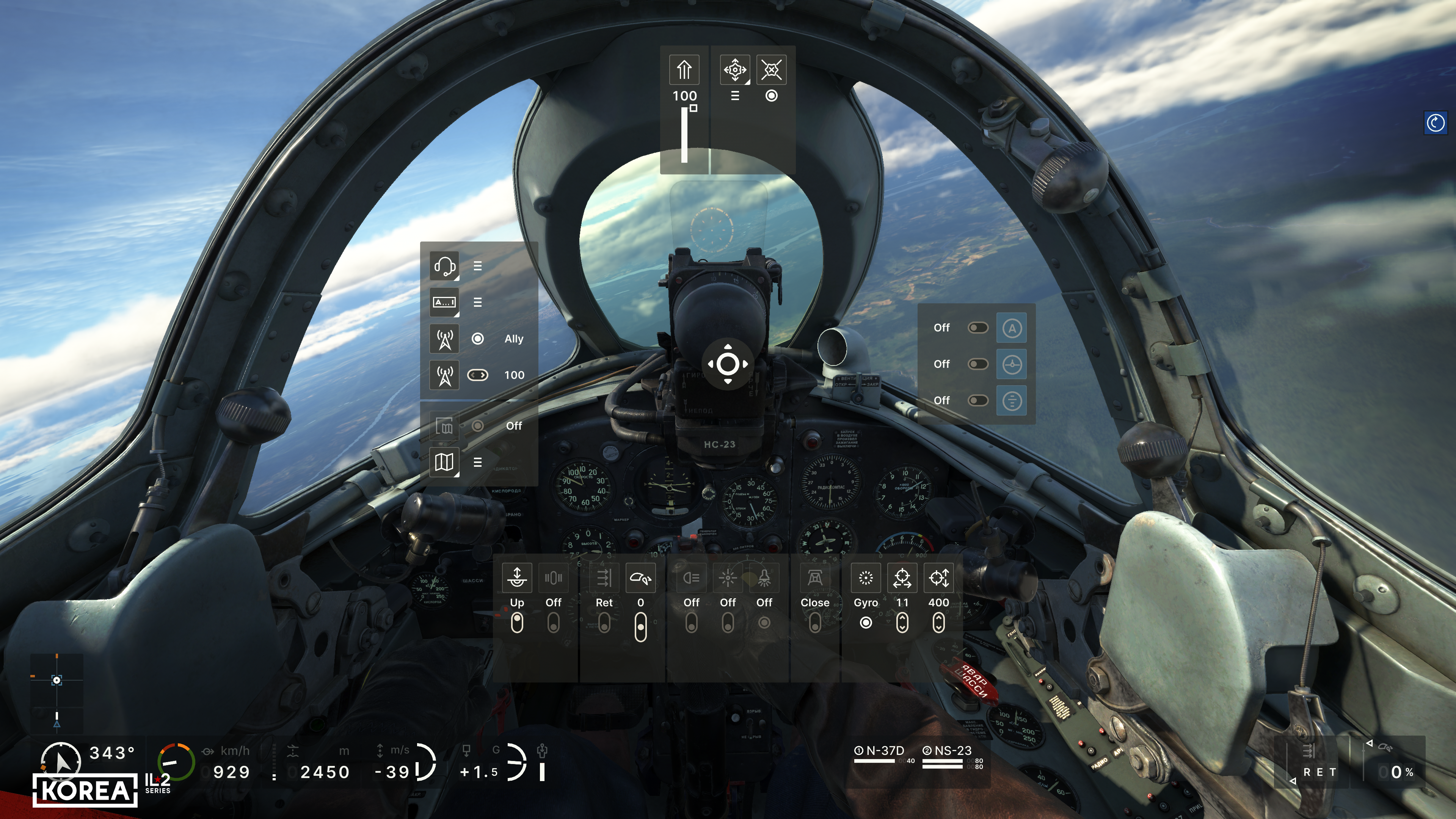
First, we decided to show the user much more detailed information about their aircraft. In addition to the basic flight parameters (course, altitude, speed, Mach number, G load, vertical speed), the main engine parameters (RPM, boost, temperature), the positions of all the main controls, the status of landing gear, flaps, brakes, and the remaining ammo, underwing weapons, and fuel will be available. Of course, not everyone needs a comprehensive set of HUD indicators, so we have provided simplified versions that display only the essential information. At the same time, the player can read the remaining parameters from the actual instruments in the 3D cockpit. The indicators include not only the current flight parameters but also their limits, allowing you to learn to fly and control a new aircraft much faster.
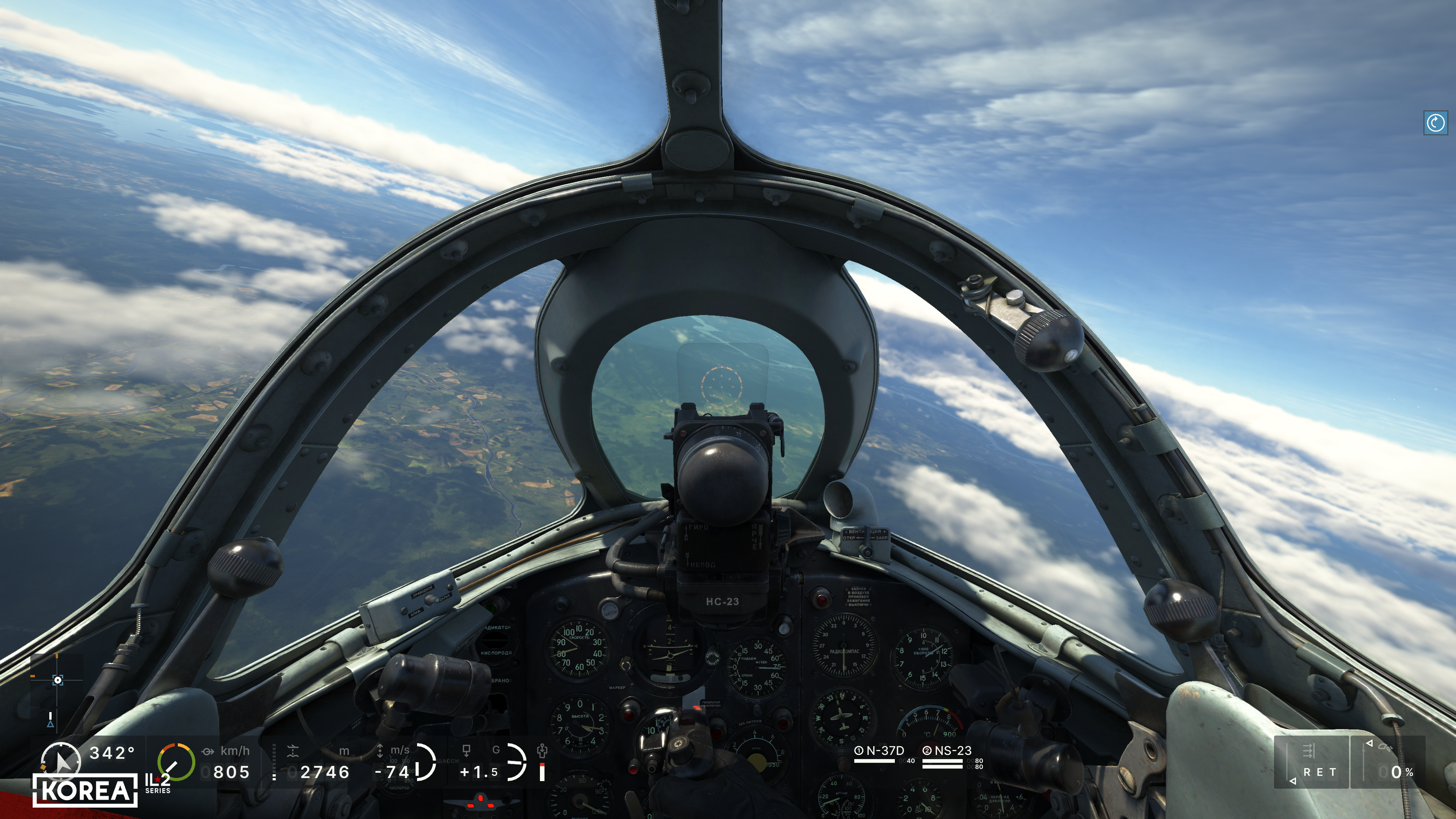
What’s more, we plan to make this entire range of interface elements customizable. In other words, you will be able to choose which interface elements to display, what to show, and what not to show, and where to show them. This will allow you to adapt the simulator to your needs and display only the information relevant to you.
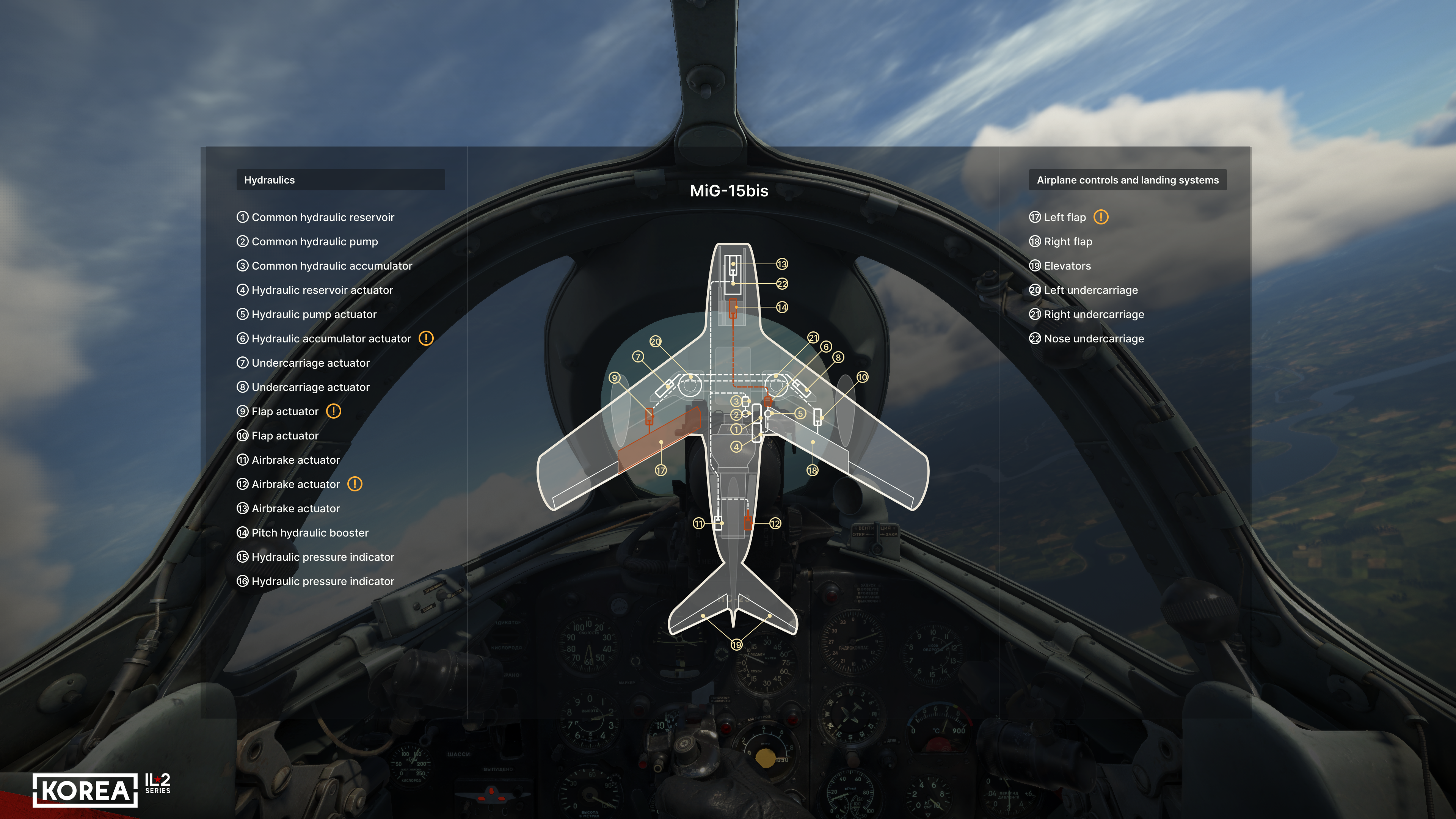
In addition to the HUD indicators, we have added a separate screen displaying the status of all aircraft systems, including the extent of their damage. This screen allows the player to assess what is happening to their aircraft in a clear, convenient way. It provides comprehensive explanations of how combat damage to the plane has affected the operation of its equipment and systems. This dialogue also lets you quickly get an idea of the aircraft’s systems and where they are located: this will help you adapt to a new machine more quickly, study its design more thoroughly, and get a better feel for it.
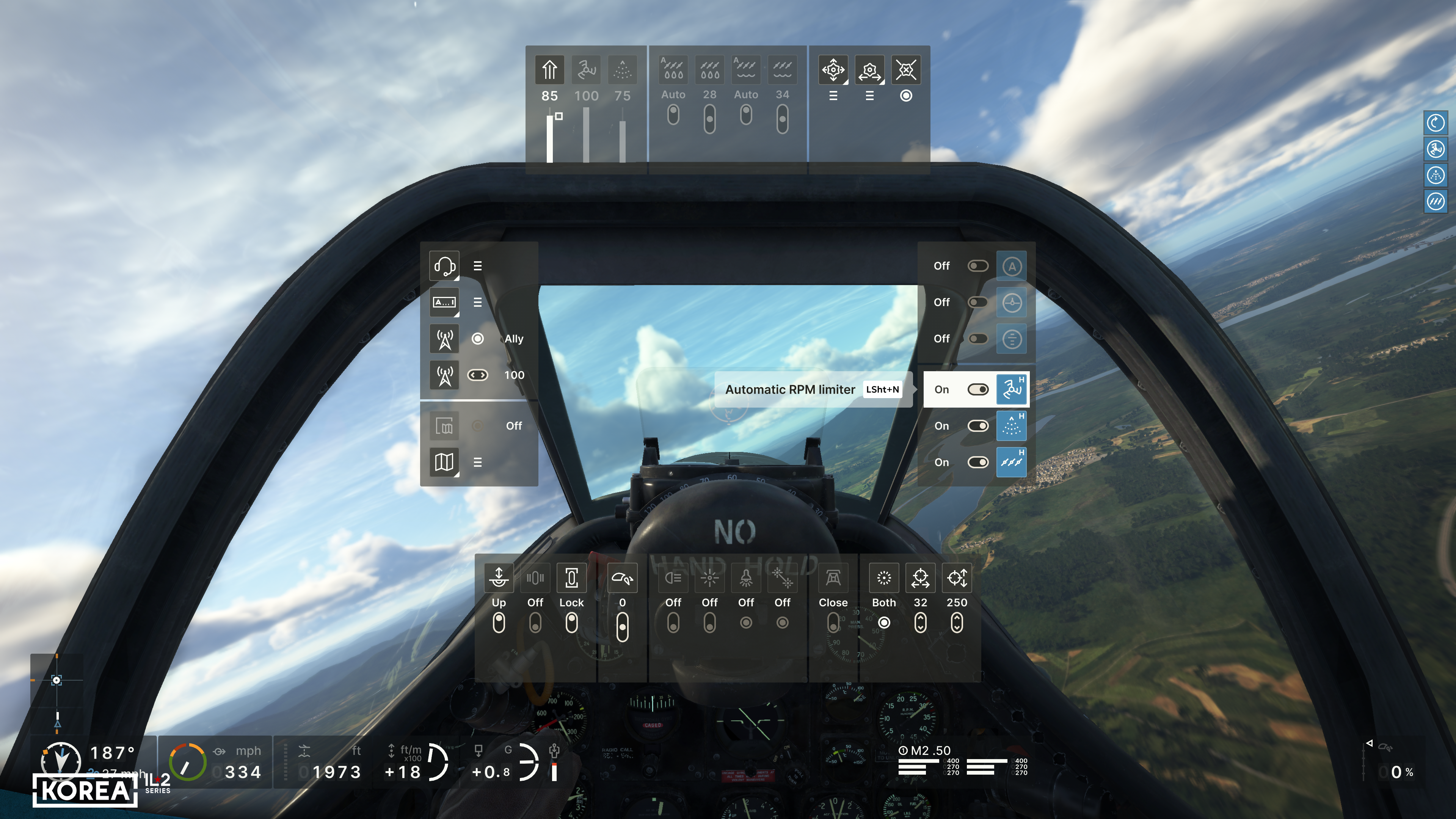
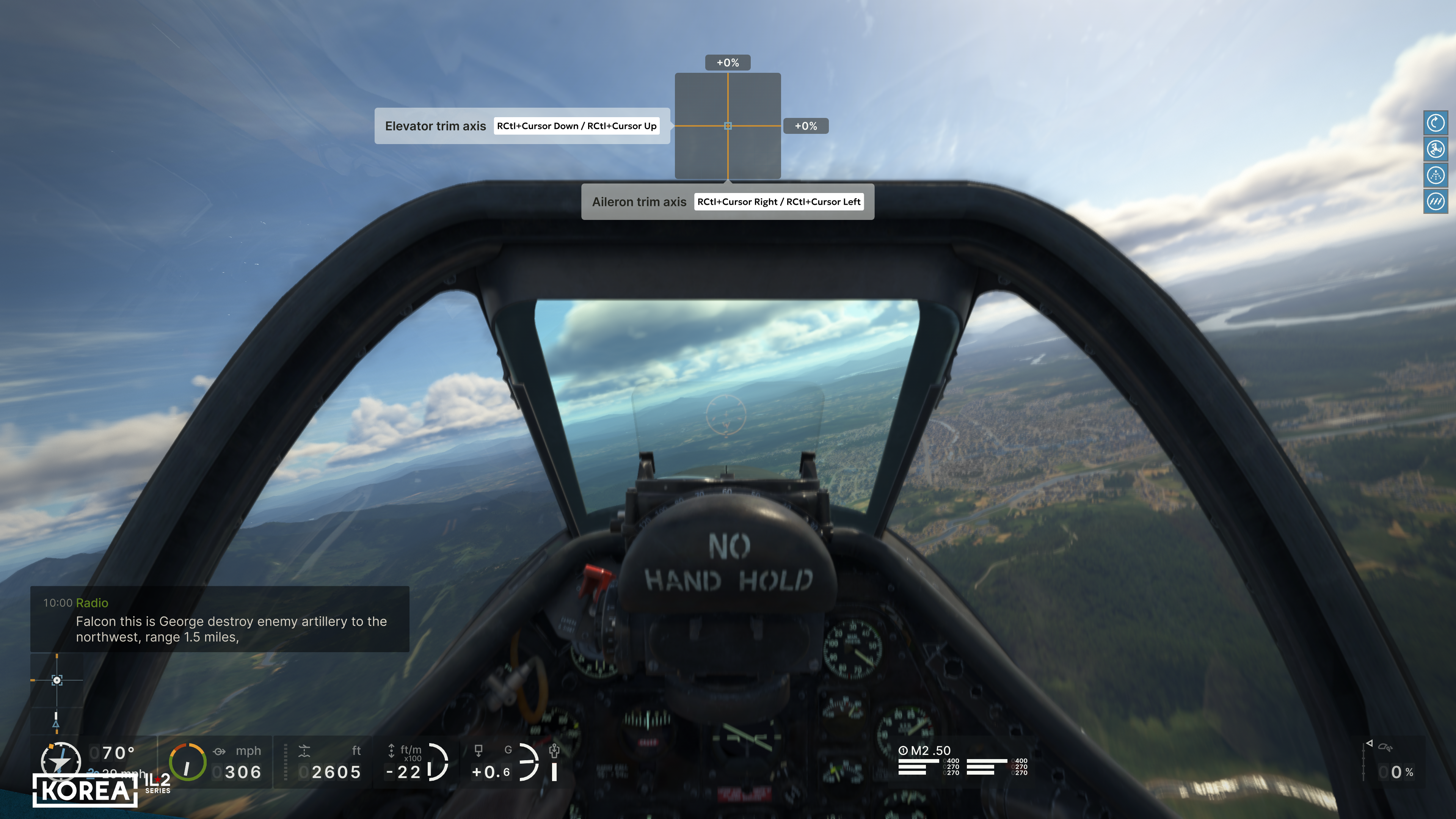
Another new and significant innovation is the addition of aircraft control to the HUD using a circular menu. In our approach, it would be more accurate to call it a "cross" or "sector" menu. Since each item expands into others, you will be able to control all aircraft systems in the most realistic game setting without having to memorize keyboard or joystick button assignments. Moreover, the hints in this menu will always remind the player which key or axis combination is assigned to a particular aircraft control command.
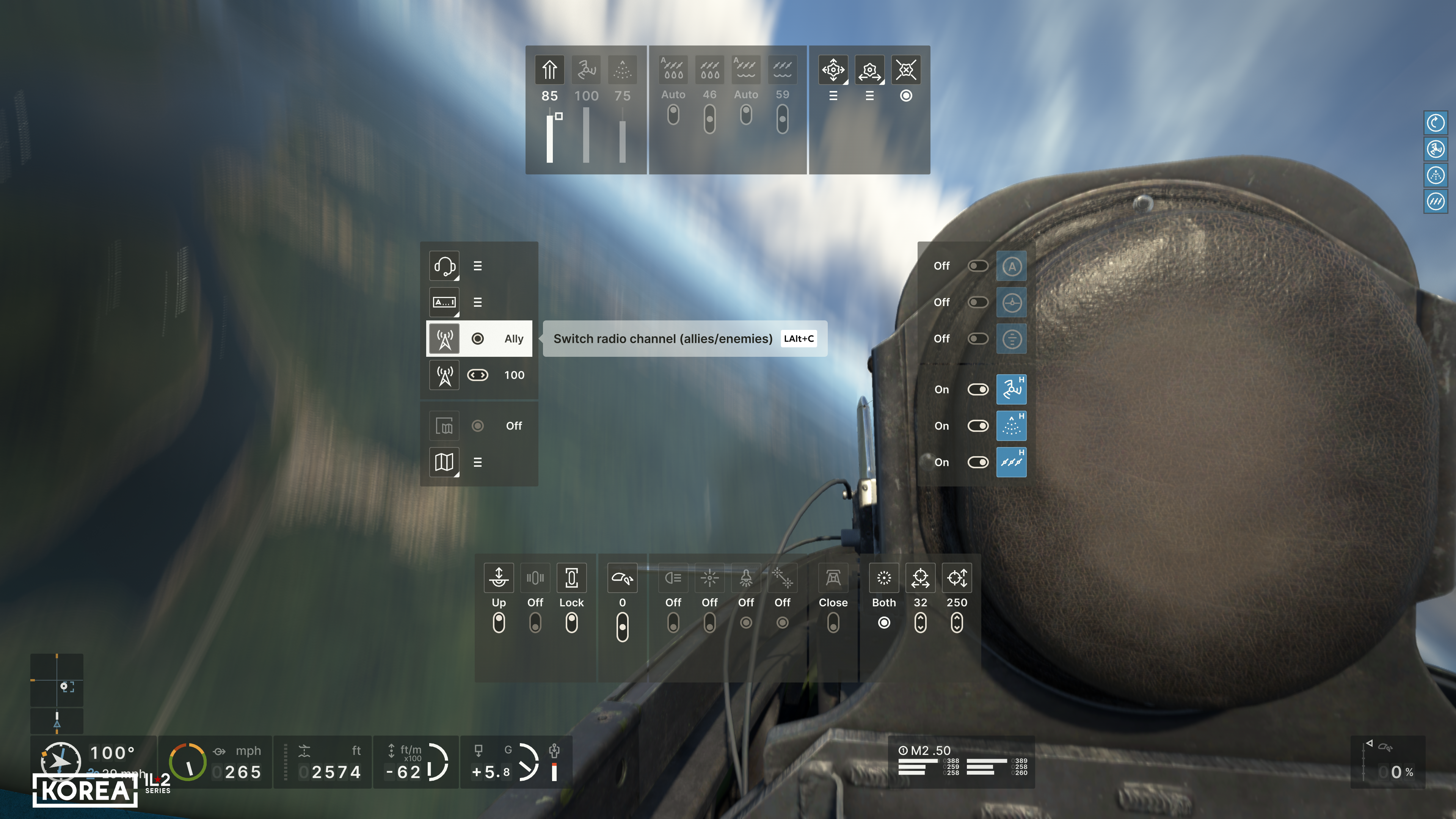
This sector menu will be accessible from keyboard, joystick, and gamepad. In general, it was designed primarily for controlling the aircraft using a gamepad, but this menu is also essential for complex control devices in combination with virtual reality goggles. After all, with the help of one POV switch and two buttons on the joystick, you can access all the functions of the aircraft without removing your VR goggles. Yes, now the need to constantly return to the game settings to find out how to turn a particular system on or off will be eliminated.
Another new feature of the HUD interface is the wingman control dialogue. In Korea, we are creating an entirely new wingman control system, the basis of which was once laid in the Tank Crew — Clash at Prokhorovka project. For this system, the module for executing AI wingman commands was developed from scratch, and a new related radio exchange was implemented.
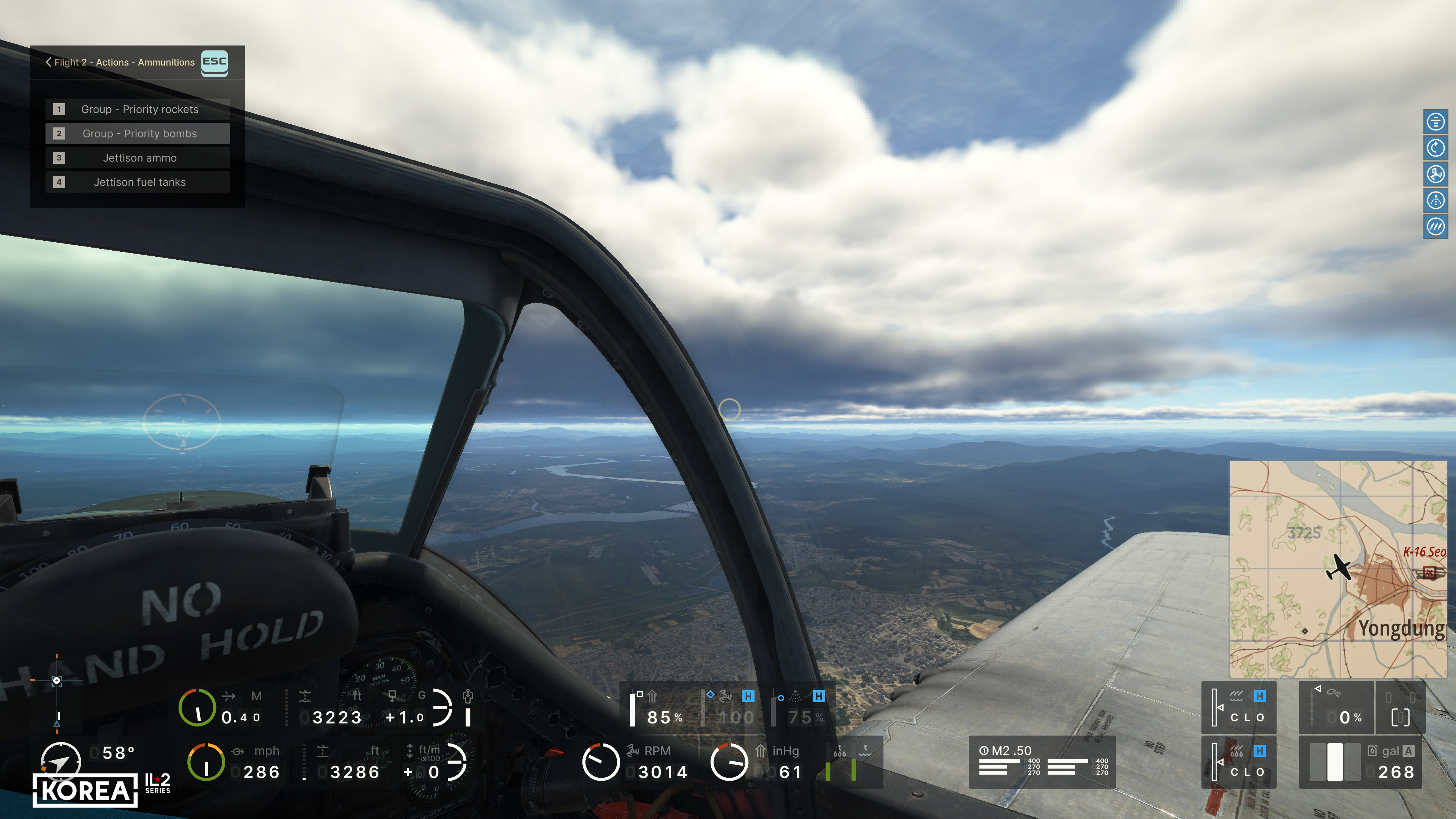
A new control dialogue has been created in the graphical interface for issuing commands. Compared to Great Battles, command capabilities have increased many times over, and now the player can control group air combat more accurately and with greater variety. As part of this task, for the first time, a large group (a squadron) can be divided into sections to control its actions. With this dialogue, the player can now not only give tasks to subordinates but also receive feedback from them about the condition of their aircraft and the current situation. It also implements communication with ground-based radar control posts, allowing the player to request a vector to a priority target, a mission point, or an airfield to return to, receive a threat warning, or clarify their location.
We will continue to discuss how our new simulator works in our subsequent Dev Blog issues.
We will continue to discuss how our new simulator works in our subsequent Dev Blog issues.